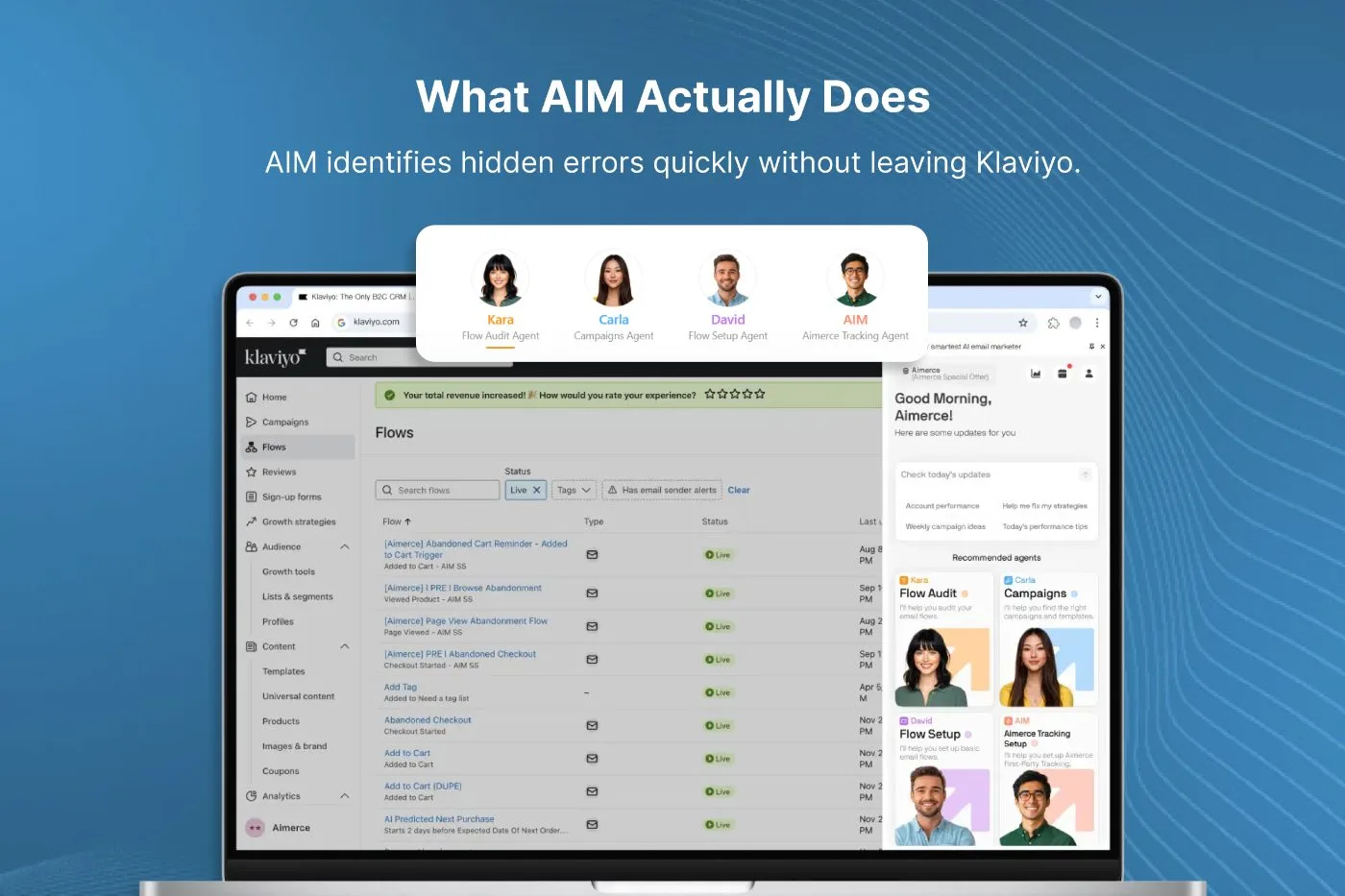
What AIM Actually Does
AIM isn’t a separate platform. It’s a lightweight Chrome extension that works directly inside Klaviyo. Once installed, it acts like a quality check assistant, scanning your flows for issues and offering quick suggestions on how to fix them.
Its biggest strength is time savings. At In-box, we’ve noticed a significant reduction in review time. AIM flags missing preview text, emails without footers, skipped UTM tracking, and other common issues.
The extension appears in a side panel and highlights issues right within the Klaviyo builder. You can scroll through flagged items, click to view the problem area, and see real-time suggestions for improvement.
For agencies managing dozens of flows or brands moving fast, this kind of automation makes it easier to maintain quality and move efficiently.
The Best Use Case: Flow Audits
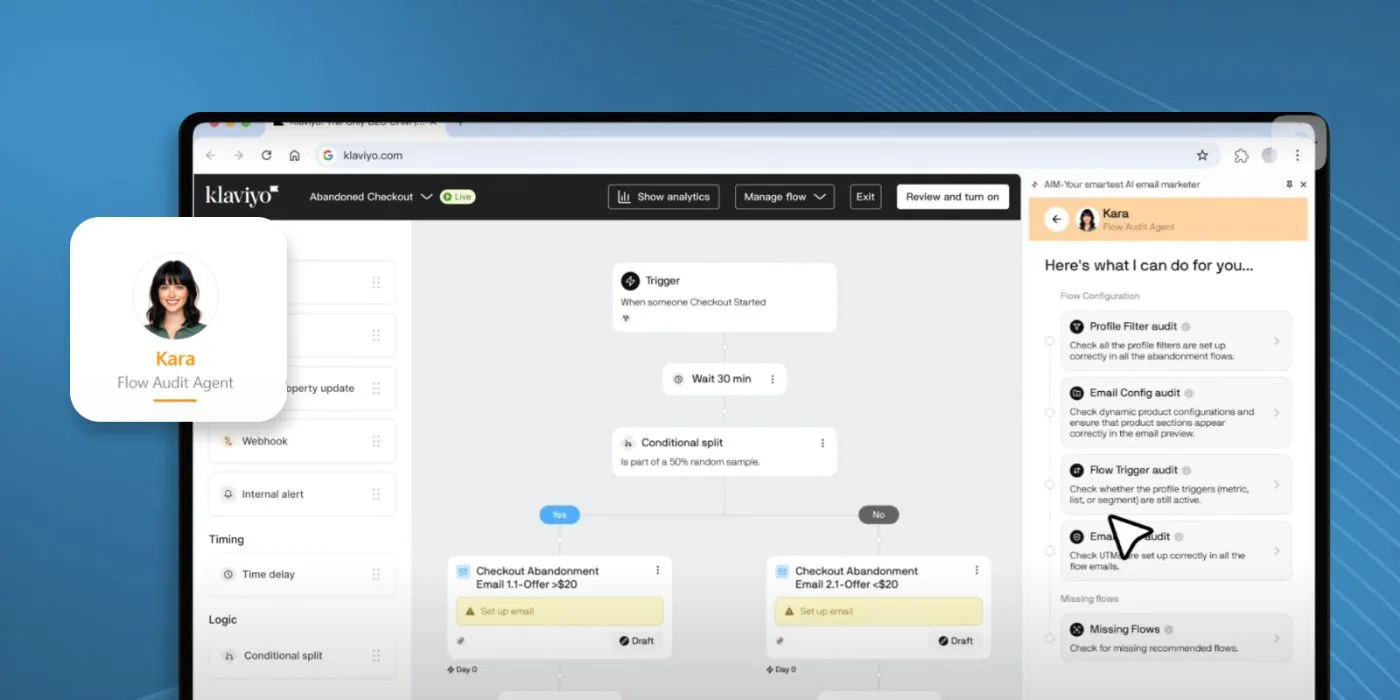
While AIM includes tools for campaigns and compliance checks, its most powerful feature is a profile called KA (Klaviyo Assistant), which is built specifically for auditing flows.
Here’s what it can do:
- Identify missing or misconfigured filters and triggers
- Flag emails without UTM parameters
- Highlight abandoned flows missing key logic
- Suggest quick fixes (and apply them on paid plans)
This is especially helpful when auditing older flows that have been updated over time or when taking over an account that’s been managed by multiple team members.
It also generates a colour-coded summary of each flow’s health. That’s useful when handing off work to teammates or giving clients a quick update. If you’re running multiple automations, this built-in audit checklist can help spot issues earlier.
Campaign Planning and Segments (Not Strategy)
AIM also includes campaign-planning tools through a profile called Carla. It can:
- Suggest campaigns based on goals or key dates
- Auto-create 30-day activation segments
- Exclude recent bounces
- Recommend subject lines and send times
If you’re launching a seasonal campaign and aren’t sure where to start, Carla can suggest timely ideas and help generate segments that are ready to activate right away.
These features are a good starting point, especially for smaller teams. But they’re not a replacement for strategy. While AIM helps structure the basics, performance still comes down to strong positioning, timing, and targeting, all of which require a more tailored approach.
Time-Saving Features Clients Appreciate
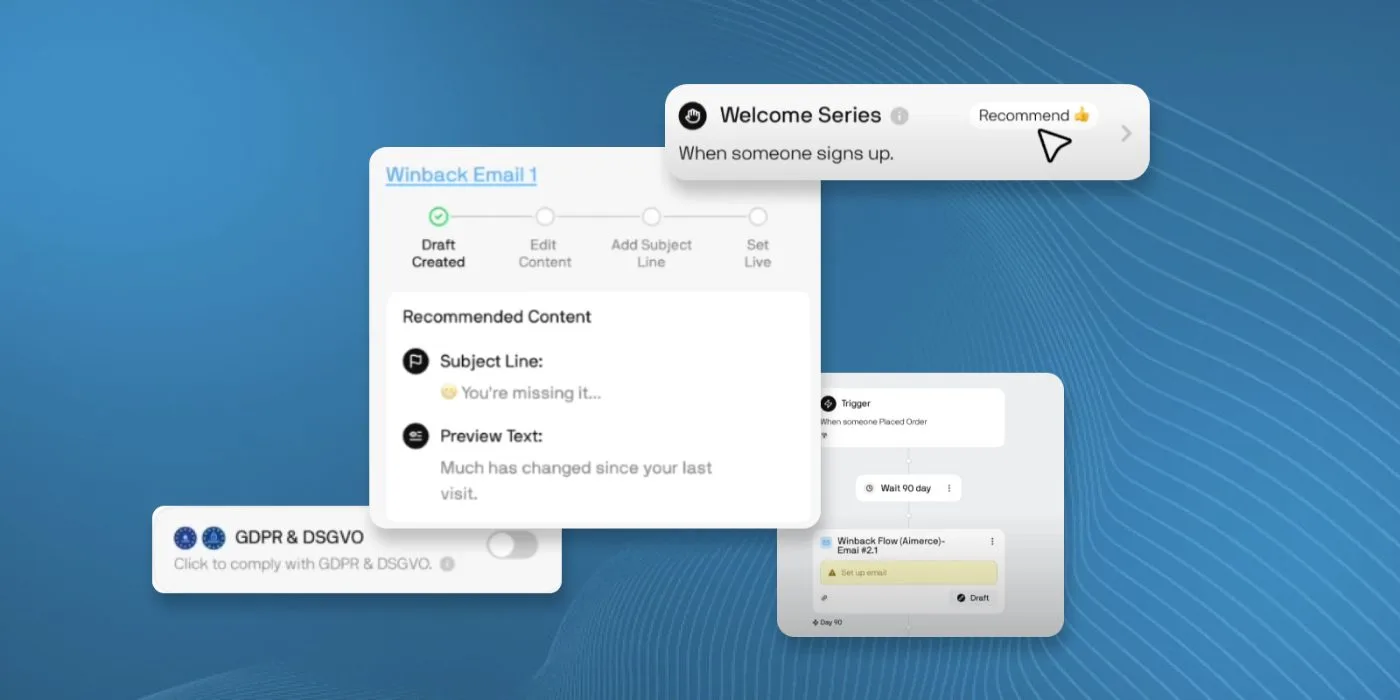
Some of AIM’s most practical features include:
- One-click fixes for missing filters (paid plans)
- Auto-adding subject lines and preview text
- UTM tracking review across flows
- GDPR-compliance checks
- Segment creation with one click
These checks can help reduce feedback loops by catching issues like GDPR (privacy law) compliance early.
It’s not about skipping reviews. It’s about making them easier to manage. AIM surfaces issues that can slip past manual checks, but a human eye is still essential.
Want to see how we streamline execution without sacrificing quality? Explore our approach.
Who This Is For
AIM is especially useful for:
- Agencies managing multiple Klaviyo accounts
- Ecommerce teams looking to speed up workflow
- Founders running their own email programs
- Beginners building foundational flows and segments
We don’t use it for strategy, but it’s a helpful part of our review effort, especially when reviewing inherited setups or onboarding a new account.
Whether solo or scaling, AIM fits into your process without major workflow changes.
What’s Coming Next
Upcoming AIM features include:
- Account health scoring
- A/B test optimisation tools
- Deeper analytics integration
Together, these improvements point toward more strategic support, helping teams iterate based on performance data. If it flagged weak subject lines or underperforming CTAs across flows, it would support faster, data-informed iteration.
Curious how we approach A/B testing? Read more here.
Final Thoughts
AIM isn’t meant to replace strategy. It’s built to support it. By handling repetitive checks, it helps teams work faster and with more confidence.
We’ve added it to our toolkit because it does one thing well: reduce manual review time without compromising quality. For teams working daily in Klaviyo, that’s a valuable edge.
Want to reduce time, not quality? Explore our Email Automation Services.