Comparing Shopify Email vs Mailchimp allows us to cut through the noise and look at each equally, side-by-side. Our goal is to help you make the right choice for your business.
Let’s cut through the noise and compare these platforms head-to-head. We’ll break down everything from pricing to features, so you can make the best choice for your business.
Target Audience and Platform Overview
Shopify Email and Mailchimp serve different types of businesses, and understanding these differences is key to making the right choice for your store.
Who Should Use Shopify Email?
If you’re already running your store on Shopify, you’ll find Shopify Email fits naturally into your workflow. It’s built right into your store’s dashboard, which means you won’t need to learn a new platform or juggle multiple tools to manage your email marketing.
Small to medium-sized businesses often find Shopify Email hits the sweet spot, especially if you’re just starting with email marketing or need straightforward campaigns without complex automations. The platform shines when you want to:
- Send basic promotional emails to your customers
- Create quick newsletters about new products
- Set up simple automated responses
- Keep all your marketing tools in one place
Who Should Use Mailchimp?
Mailchimp serves a broader audience, and you’ll find it valuable if your business needs more sophisticated marketing capabilities. The platform works well for:
Growing businesses that need advanced segmentation and automation Companies running marketing campaigns across multiple channels Non-Shopify stores that want a standalone email marketing solution
You might prefer Mailchimp if you’re looking to create complex marketing campaigns or need to integrate with multiple platforms beyond Shopify.
Shopify Email vs Mailchimp Pricing
Let’s talk about money, because your marketing budget matters and it’s one of the most important decisions you’ll make early on in your business.
Shopify Email’s Pricing Model
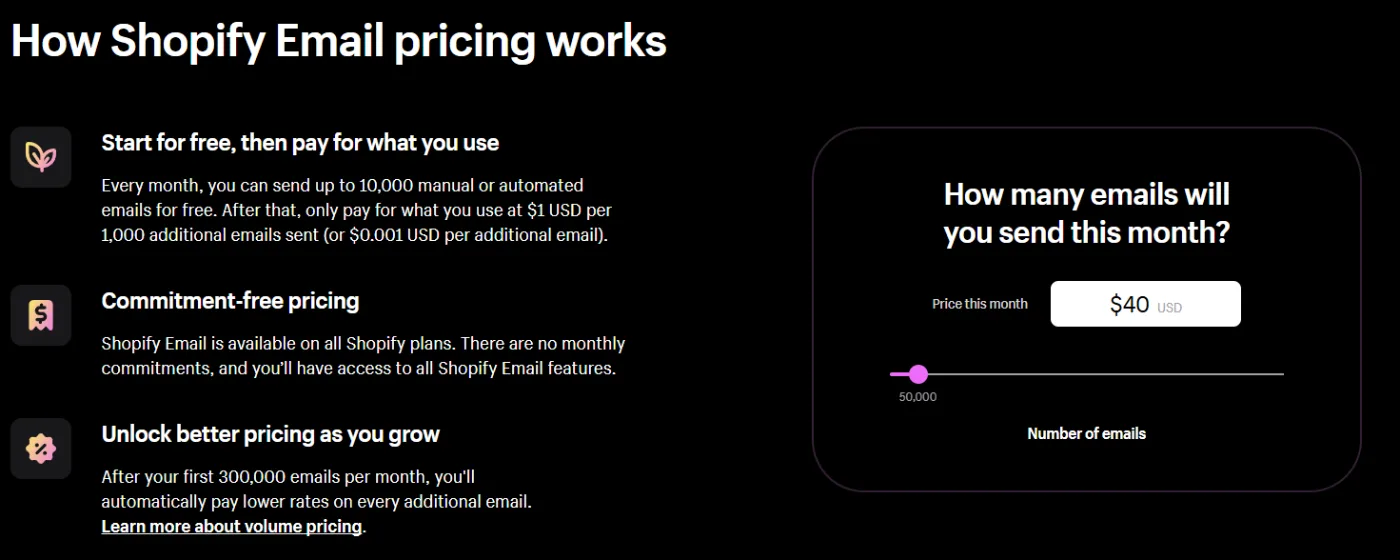
Shopify Email keeps things simple with its pricing structure. You’ll get your first 10,000 emails each month at no extra cost with your Shopify subscription. That’s enough to get most small businesses started with email marketing without additional expense.
Need to send more? After your free allocation, you’ll pay:
- $1 for every additional 1,000 emails
- Rates drop to $0.65 per 1,000 emails once you hit 300,000 sends
The best part? Transactional emails like order confirmations and shipping updates don’t count against your monthly limit.
Mailchimp’s Pricing Structure
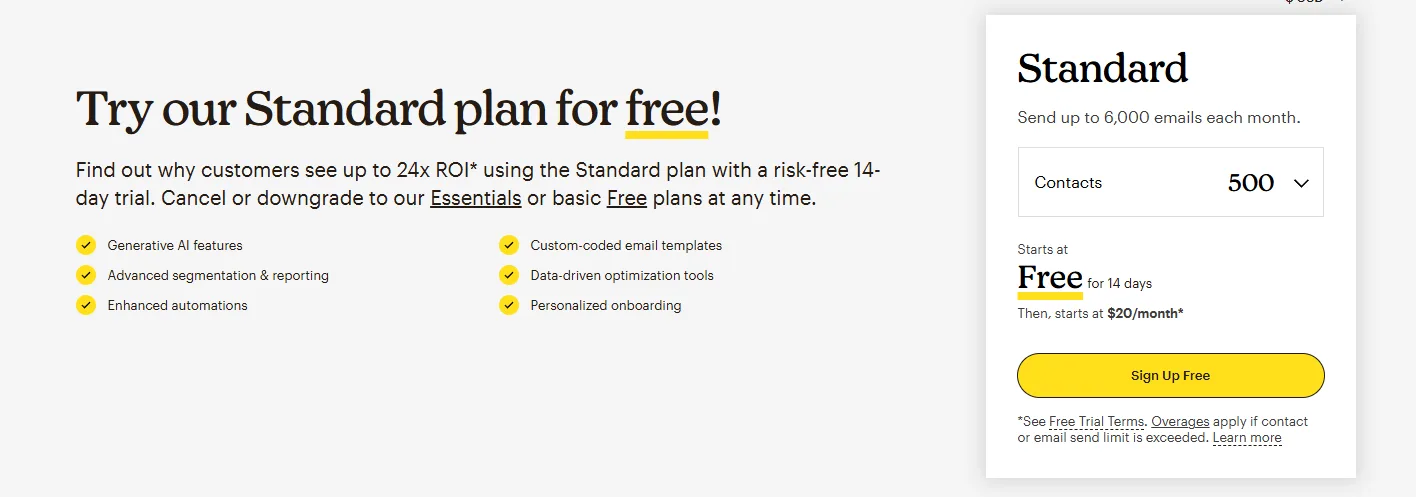
Mailchimp’s pricing gets a bit more complex, with multiple tiers based on both features and contact list size, but keep in mind it’s still simple when compared to Klaviyo and some other more advanced email marketing platforms:
The Free Plan includes:
- Up to 500 contacts (for 14 days)
- 7 basic email templates
- Limited features
Paid plans start at:
- $20/month for 500 contacts
- $45/month for 1,500 contacts
- $100/month for 5,000 contacts
Remember that Mailchimp counts all contacts, even if they appear on multiple lists, and includes transactional emails in your monthly send limit.
Those of us who have been in the game for a while can remember a time when Mailchimp was the bargain email marketing software. That’s not really the case anymore. At $45 per month for 18,000 emails, Mailchimp is more than double the cost of Shopify Email.
Value for Different Business Sizes
For small businesses sending fewer than 10,000 emails monthly, Shopify Email often provides better value, especially if you’re already paying for Shopify. You won’t face additional costs until you exceed the free tier.
Mid-sized businesses might find the calculation more complex. While Mailchimp’s monthly fees can add up, you’re getting access to advanced features like:
- Sophisticated automation workflows
- Detailed analytics
- A/B testing capabilities
- Multi-channel marketing tools
This is a major reason why a lot of email marketing agencies do not use Mailchimp. It’s designed more for the individual small business using the platform for email marketing rather than the agency using it to help serve other businesses.
The real value depends on how you’ll use these features. If you need basic email marketing, Shopify Email’s straightforward pricing might save you money. But if you’ll actively use Mailchimp’s advanced features, the additional cost could pay for itself through improved campaign performance.
Email Builder and Templates
The way you build and design your emails can make or break your marketing campaigns. Both platforms offer different approaches to email creation, and you’ll want to understand these differences before making your choice.
Shopify Email provides 46 pre-designed templates that automatically pull in your store’s branding. When you open the email builder, you’ll find your logo, colors, and fonts already in place, saving you valuable setup time. The platform’s drag-and-drop interface feels familiar if you’ve used other parts of Shopify, making it easy to get started with your first campaign.
You can add products directly from your store catalog into your emails with just a few clicks. The templates cover common ecommerce scenarios like product launches, sales announcements, and seasonal promotions. While the customization options aren’t extensive, they’re sufficient for creating professional-looking emails that match your brand.
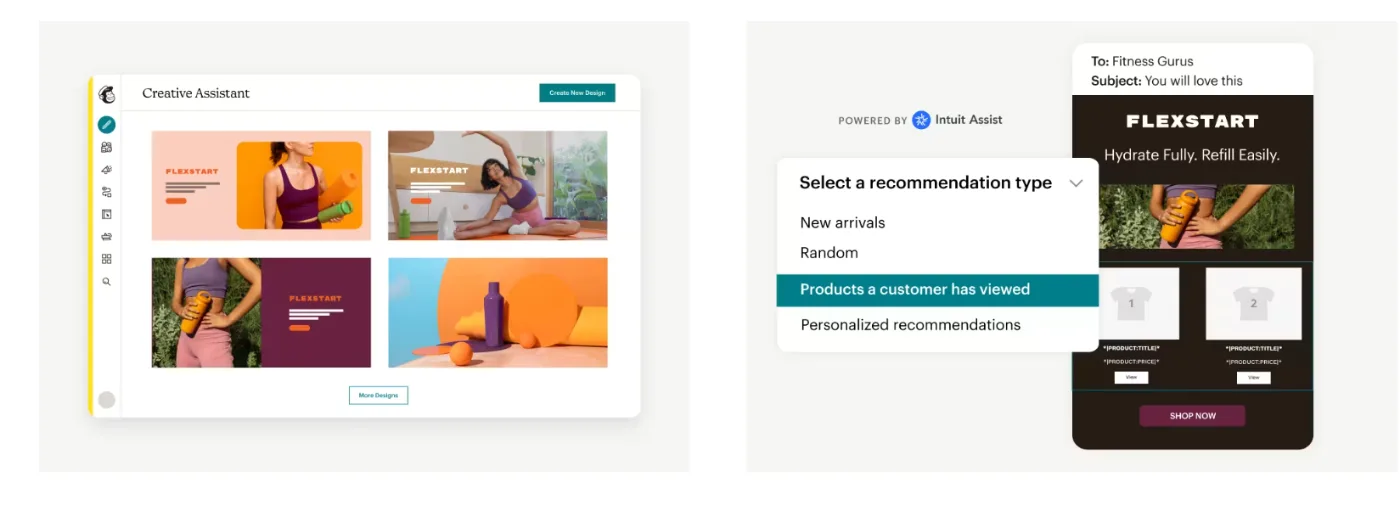
Mailchimp takes a different approach with its email builder. You’ll find a larger template library, 137 designs in total, though only 7 are available on the free plan. The builder includes more sophisticated content blocks, letting you add elements like video embeds, surveys, and customer reviews directly into your emails.
One standout feature in Mailchimp’s builder is its dynamic content blocks. These can display different products or messages based on customer behavior and preferences. For example, you might show different product recommendations to customers based on their purchase history or browsing behavior.
Both platforms ensure your emails look good on mobile devices, but they handle responsiveness differently. Shopify Email takes care of mobile optimization automatically, while Mailchimp gives you more control over how your emails appear across different screen sizes.
Marketing Automation Capabilities
Email automation can save you time and help nurture customer relationships automatically. The automation features in these platforms differ significantly in both scope and complexity.
Shopify Email Marketing Automations
Shopify Email keeps things straightforward with nine core automation templates. You can set up basic workflows for common scenarios like welcome emails when someone joins your list or follow-up messages after a purchase.
The platform handles these essential automations well, though you might find yourself switching between different sections of the dashboard to set everything up.
Setting up a basic welcome series or abandoned cart recovery in Shopify Email takes just a few minutes. The platform connects directly to your store data, so you can trigger emails based on customer actions like making a purchase or abandoning their cart. While these automations work reliably, they don’t offer much room for complex conditions or multi-step sequences.
Mailchimp’s Marketing Automations
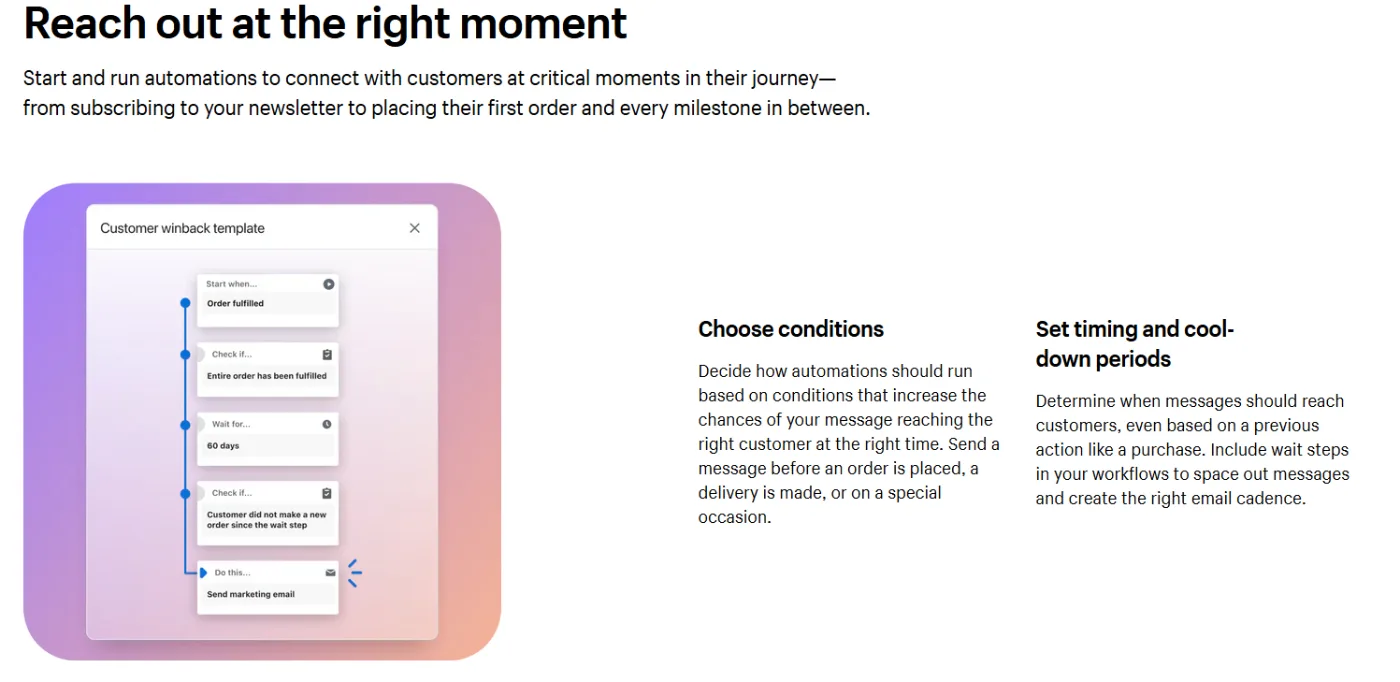
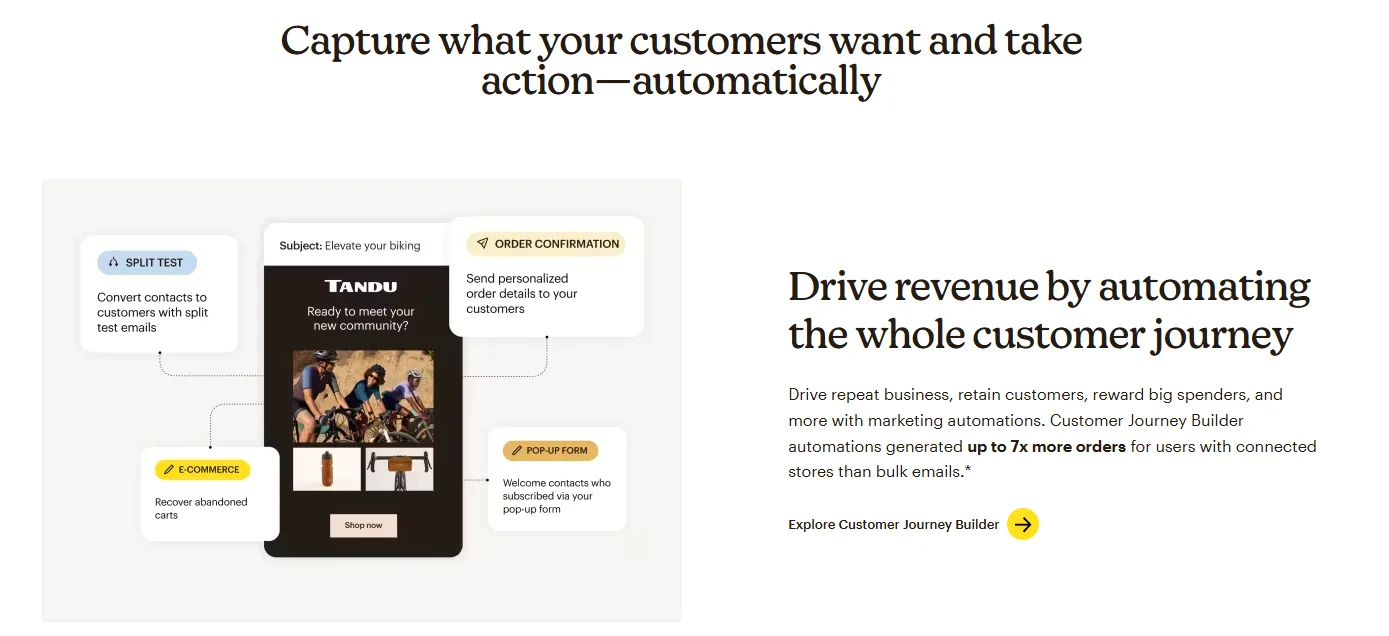
Mailchimp’s automation capabilities go several steps further. The platform offers over 70 pre-built automation templates, which they call “Customer Journeys.” These can handle sophisticated scenarios like re-engagement campaigns for lapsed customers or personalized product recommendations based on the behaviors of your visitors.
Plus, because Mailchimp is such a big platform with so many users, there are endless email marketing case studies that you can use to see how it works.
The journey builder in Mailchimp lets you create custom workflows with multiple branches and conditions. You might set up a sequence that sends different follow-up emails based on whether someone opened your first message, clicked a specific link, or made a purchase. The platform also uses predictive analytics to determine the best time to send emails to each subscriber.
One key difference is how the platforms handle testing and optimization. Mailchimp lets you A/B test different elements of your automated emails, from subject lines to content blocks.
You can also see detailed performance metrics for each step in your automation sequence. Shopify Email’s automation reporting is more basic, focusing on standard metrics like open rates and click-through rates.
Segmentation and Contact Management
Your ability to send targeted, relevant emails depends heavily on how well you can organize and segment your contact list. In our opinion, segmentation and personalization of emails is one of the most important features to look for.
Shopify Email:
- Integrates directly with your store’s customer data
- Segments based on purchase history, location, and engagement metrics
- Segmentation managed through the Customers section (separate from email tool)
- Offers pre-built templates for common scenarios like:
- Inactive customers (6+ months without purchase)
- VIP customers (above-average spending)
- No duplicate contacts due to integration with store database
- Built for beginners with easy-to-use targeting options
Mailchimp:
- More sophisticated segmentation capabilities
- Combines up to 5 different conditions per segment
- Real-time segment updates based on customer interactions
- Segmentation options include:
- Email engagement metrics
- Purchase behavior patterns
- Predictive analytics
- Custom contact fields
- Counts duplicate subscribers across lists for billing
- Better suited for complex targeting needs
Shopify Email integrates with your store’s customer data, letting you create segments based on purchase history, location, and engagement metrics.
The segmentation happens through the Customers section of your Shopify dashboard rather than within the email tool itself. While this separate location might seem counterintuitive at first, it gives you access to rich customer data for targeting your campaigns.
The platform offers pre-built segmentation templates for common scenarios like “customers who haven’t purchased in 6 months” or “VIP customers who spend above average.” These templates make it easy to get started with targeted campaigns, even if you’re new to email marketing.
Mailchimp’s segmentation capabilities are more extensive, letting you combine up to five different conditions to create highly specific audience segments. The platform updates these segments in real-time as customers interact with your emails and website.
You can create segments based on email engagement, purchase behavior, predictive analytics, and custom fields you’ve added to your contacts.
If we compare Mailchimp vs Shopify, they both handle basic list management tasks like adding and removing subscribers, but they differ in how they manage duplicate contacts. Mailchimp counts subscribers who appear on multiple lists as separate contacts for billing purposes, which can increase your costs. Shopify Email, being tied to your store’s customer database, naturally prevents duplicate entries.
Analytics and Reporting
Understanding how your emails perform helps you make better marketing decisions. The depth and presentation of analytics vary significantly between these platforms.
Shopify Email integrates reporting directly into your store’s analytics dashboard. You’ll see basic metrics like open rates and click-through rates alongside your store’s sales data, making it easy to connect your email marketing efforts to actual revenue. The platform tracks orders generated from your campaigns, showing you exactly how many sales came from each email.
The reporting interface feels familiar if you’re used to Shopify’s dashboard. You can track customer engagement metrics like email opens and clicks, plus see how many visitors came to your store from each campaign. While these metrics cover the basics, you won’t find advanced features like heat maps or detailed subscriber behavior analysis.
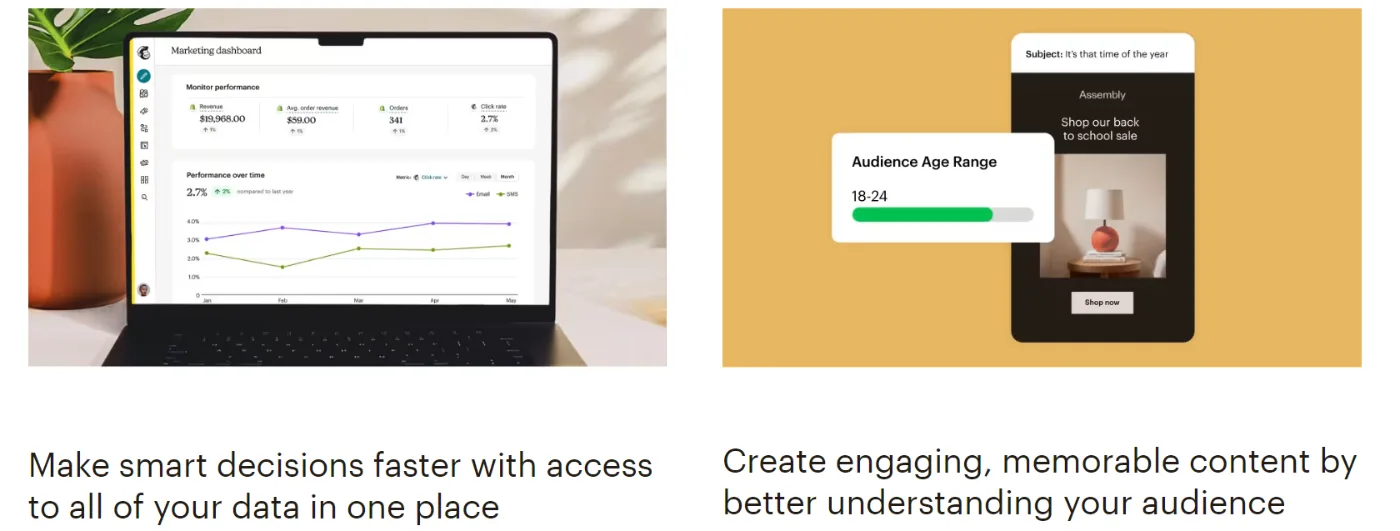
Mailchimp takes analytics to a deeper level with comprehensive reporting tools. Beyond basic engagement metrics, you’ll get access to comparative reporting that shows how your campaigns stack up against industry averages. The platform tracks customer behavior across multiple touchpoints, giving you insights into how subscribers interact with your brand over time.
Another feature that we find useful is Mailchimp’s predictive insights. The platform can forecast customer lifetime value and suggest the best times to send emails based on past engagement patterns. You’ll also find detailed revenue attribution reporting that shows how different campaigns contribute to your bottom line.
Both platforms offer real-time tracking, but they present the data differently. Shopify Email focuses on showing you immediate results in a straightforward way, while Mailchimp provides more tools for diving deep into the numbers and analyzing trends over time.
Integration and Additional Features
Your email marketing tool needs to play nice with other parts of your business. This is where the platforms’ different approaches become much more noticeable.
Shopify Email’s integration capabilities center around the Shopify ecosystem. It connects seamlessly with your product catalog, customer data, and order information. You won’t need to worry about syncing issues or data discrepancies since everything lives within the same platform. The downside? You’re somewhat limited when it comes to connecting with tools outside the Shopify marketplace.
The platform handles basic marketing tasks well, but you might need additional apps for more advanced features. For example, if you want to create sophisticated landing pages or run social media campaigns, you’ll need to look for third-party solutions in the Shopify App Store.
Mailchimp operates as a more open platform, offering connections to over 220 different services and tools. You can integrate with multiple ecommerce platforms, social media channels, CRM systems, and analytics tools. This flexibility means you can build a more comprehensive marketing stack, though it might require more setup and maintenance.
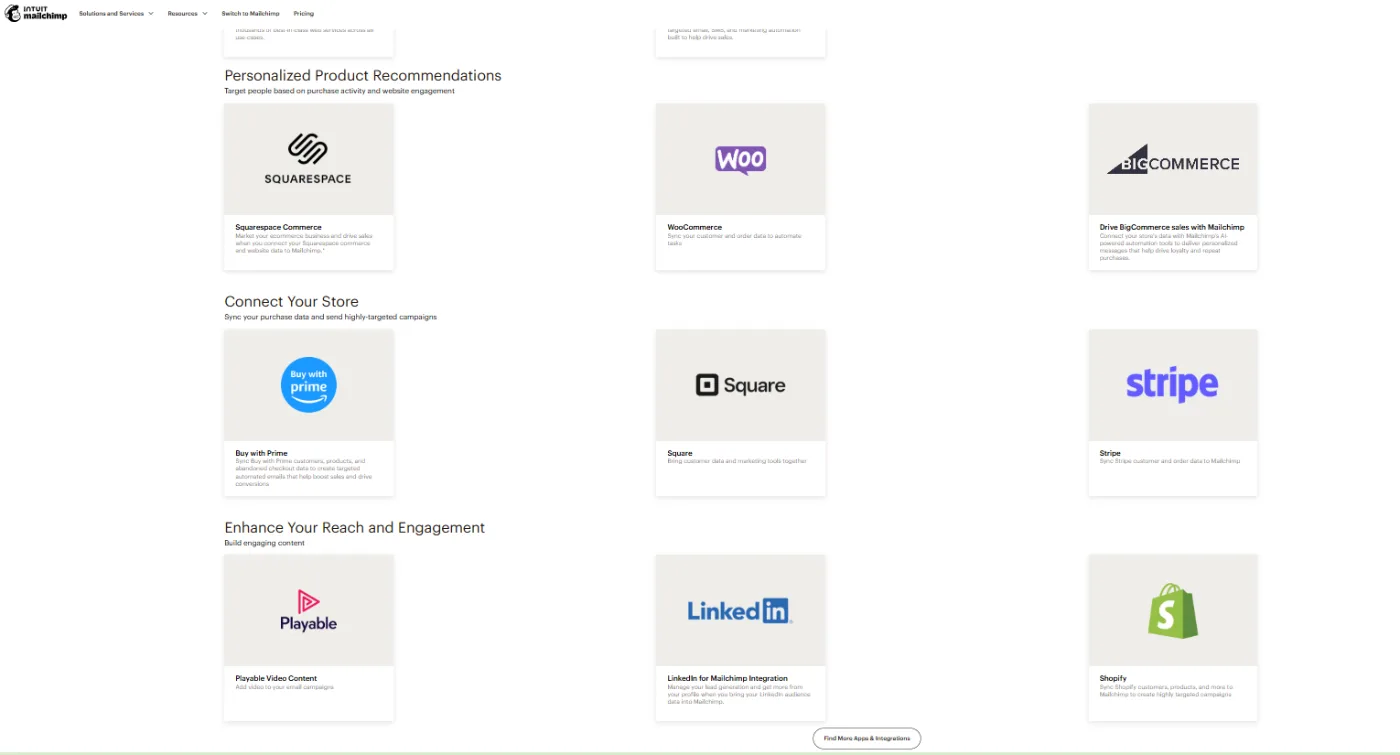
Beyond email, Mailchimp provides additional marketing tools like:
- A landing page builder for creating custom campaign pages
- Social media ad management
- SMS marketing capabilities
- Basic CRM features
These extra features come included with paid plans, potentially saving you money on separate tools. But remember, you’ll need to learn how to use each feature effectively to get value from them.
User Experience and Support
The day-to-day experience of using these platforms can significantly impact your marketing efficiency.
Shopify Email shines in its simplicity. If you’re already comfortable with the Shopify admin panel, you’ll find the email marketing interface familiar and easy to navigate. Everything follows Shopify’s standard design patterns, reducing the learning curve for existing users. The workflow feels natural, you can move from creating a campaign to selecting products and sending emails without leaving your store’s dashboard.
When you need help, Shopify provides 24/7 support through email and chat. While the support team handles questions about all Shopify products, not just email marketing, they’re generally quick to respond. You’ll also find extensive documentation and community forums where other store owners share their experiences and solutions.
Mailchimp’s interface requires more time to master, but it offers greater control over your marketing efforts. The platform organizes features logically, though you might need to explore different sections to find specific tools. The learning curve is steeper, but the payoff comes in the form of more sophisticated marketing capabilities.
Support options in Mailchimp vary by plan level. Free users get email support for their first 60 days, while paid plans include both email and chat support. The platform provides detailed documentation, video tutorials, and guides focused specifically on email marketing best practices. Their support team specializes in marketing automation, so you’ll often get more detailed technical and strategic advice.
Shopify Email vs Mailchimp: Pros and Cons
Shopify Email Pros:
- Native Shopify integration with automatic syncing of products, customers, and branding
- Simple pricing with generous free tier (10,000 emails/month)
- Easy learning curve for existing Shopify users with unified dashboard management
Shopify Email Cons:
- Limited automation capabilities with basic workflows
- Basic segmentation features lacking advanced targeting options
- Surface-level analytics that may not satisfy growing businesses
Mailchimp Pros:
- Powerful segmentation and automation capabilities
- Comprehensive A/B testing and analytics tools
- Additional features like landing pages and social media integration
Mailchimp Cons:
- More expensive pricing that scales up quickly with list growth
- Complex platform requiring significant time to master
- Counts duplicate subscribers across lists, increasing costs
Shopify Email excels in its native integration with your store. Everything syncs automatically, your products, customer data, and branding elements appear right where you need them. The pricing structure keeps things simple, with a generous free tier that works well for small to medium-sized businesses.
You won’t need to learn a new system if you’re already using Shopify, and you can manage your entire store from one dashboard.
But these advantages come with some trade-offs. The automation features feel basic compared to dedicated email marketing platforms like Klaviyo. You’ll find yourself limited when it comes to creating complex marketing flows or detailed customer segments. The analytics, while straightforward, might not provide the depth that growing businesses need for sophisticated marketing strategies.
Mailchimp brings more powerful marketing capabilities to the table. The platform shines when you need to create detailed customer segments, run A/B tests, or set up complex automation sequences. You’ll get access to advanced analytics that can help optimize your campaigns, plus additional features like landing pages and social media integration.
These advanced features come at a cost, both in terms of money and complexity. The pricing structure can get expensive as your list grows, especially since Mailchimp counts duplicate subscribers. You’ll also face a steeper learning curve, and might need to spend time training team members on the platform’s various features.
Making Your Choice
Your decision between Shopify Email vs Mailchimp should align with your business goals and resources.
Consider these key factors:
Budget plays a major role. If you’re already paying for Shopify and send fewer than 10,000 emails per month, Shopify Email offers excellent value. The platform’s straightforward pricing makes it easy to predict costs as you grow. Mailchimp’s pricing requires more careful consideration, particularly as your subscriber list expands.
Technical resources too. Shopify Email’s simpler interface means you can get started quickly without extensive training. Mailchimp’s learning curve requires more upfront investment but gives you access to more sophisticated marketing tools.
Beginner vs. Veteran. For new ecommerce businesses or those just starting with email marketing, Shopify Email provides a solid foundation. You can focus on mastering the basics of email marketing without getting overwhelmed by complex features. The platform grows with you, and you can always switch to a more advanced solution later if needed.
Sophisticated vs. Simple. Established businesses with specific marketing needs might find Mailchimp’s advanced features worth the investment. If you’re running sophisticated marketing campaigns across multiple channels, need detailed customer behavior analysis, or want to create complex automation sequences, Mailchimp offers the tools you need.

Final Thoughts
Both platforms continue to evolve, adding new features and capabilities. Shopify regularly updates its email marketing tool, gradually expanding its functionality while maintaining its user-friendly approach.
Recent additions show they’re listening to user feedback and working to close the gap with more advanced platforms.
Mailchimp keeps pushing the boundaries of what’s possible in email marketing, this is especially true in areas like AI-powered recommendations and cross-channel marketing.
Their development focus suggests they’ll continue adding sophisticated features that help businesses create more personalized, effective marketing campaigns.
We think the most important takeaway is that your choice today doesn’t have to be permanent.
Many businesses start with Shopify Email and migrate to Mailchimp as their needs grow more complex. Others find that Shopify Email’s continuous improvements mean they never need to switch. The key is choosing the platform that best supports your current marketing goals while providing room for growth.
Remember that the best email marketing platform is the one you’ll actually use consistently.
If the features are too basic or too complex, you’ll end up not using it to its full potential.
That said, if you find both of these email marketing platforms to fall a bit short or you’re concerned they’re not ecommerce-focused enough, there’s a reason we partner with Klaviyo here at In-box. Learn more about our services and how we can scale up your email marketing with a quick consultation today!